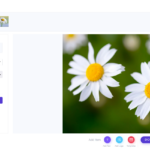
Watermarks for Photos: How to Protect Your Images Without Ruining Them
Adding a watermark to your photos is one of the simplest steps you can take before publishing online. This guide explains what watermarks actually do, who gets the most value from them, and how WaterMarquee handles the whole workflow from single images to batch exports across multiple formats.

What a watermark does for your photos (and what it does not)
A visible watermark overlays your name, logo, or URL directly onto an image file. Anyone who sees the photo also sees the credit, whether it ends up on Pinterest, in a Google image search, or reposted on someone else’s Instagram. That is the core job: make attribution obvious at a glance and deter casual scraping.
Watermarking is distinct from two related techniques. DRM (digital rights management) restricts access to a file entirely, typically through login gates or encrypted delivery. Steganography hides data inside an image invisibly, with concealment as the primary goal. A visible watermark does neither of those things. It signals ownership openly, which is what deters most opportunistic reuse.
What a watermark does not do is prevent a determined person from removing it. Someone with image editing skills can crop, clone-stamp, or retouch a watermark out of a photo. The realistic threat model is casual theft: a competitor copying your Etsy listing photos, a blog reposting your images without credit, or a client sharing your gallery previews publicly before purchase. A clearly placed watermark stops most of that because it makes the theft obvious and the source traceable.
Watermarking is a pre-publication step, not a recovery tool. Apply it before you upload or share, and keep the unmarked master files separate.
Who needs watermarks on their photos
Three audiences get the most practical value from watermarking, and all three share the same core problem: they publish images online regularly and need a consistent mark applied across many files, not one at a time.
Photographers sharing gallery previews with clients or posting to social media face two real risks. A client might share a preview publicly before purchasing prints. A third party might repost a shot without credit. A watermark with your studio name or website URL keeps your brand in the image wherever it travels.
Online sellers on Etsy, Amazon, and eBay deal with listing photos being scraped and reused by competing shops. A watermark with your shop name or URL makes the source of the image obvious and discourages direct copy-paste. According to the customer’s internal tool summary, WaterMarquee is built explicitly for this audience, with platform-ready export for Etsy and Amazon in one batch, though it’s worth checking the current feature set on watermarquee.com.
Content creators (bloggers, newsletter writers, social media accounts) publish images that get indexed and reshared. A visible logo or text credit line keeps the attribution in the image itself, not just in a caption that gets stripped when the image is saved and reposted.

How WaterMarquee adds watermarks to photos
WaterMarquee is a browser-based watermarking editor. No software download is required. The editor runs on a Konva canvas with a live preview, so you see exactly how the watermark sits on your photo before you export any files.
What you can add to each image:
- A logo watermark, a text caption (name, URL, copyright line), or both combined in one export
- Position controls to place the mark in any corner, centred, or diagonally across the image
- Size and opacity settings to balance visibility against image readability
- Blend mode options for more control over how the watermark sits on different backgrounds
On opacity: lower settings make the watermark less intrusive but easier to visually remove by cropping or cloning. Higher opacity deters casual removal but can obscure the photo itself. There is no single correct value. A corner logo at moderate opacity is the most common approach for gallery previews; a diagonal text watermark at higher opacity is more common for proof images sent before payment.
Batch export and format support:
According to the customer’s internal tool summary, the Plus tier supports batch export of up to 100 images per run, and the Studio tier (coming soon as of June 2026) will support up to 500. The Free tier processes one image at a time. Export formats include JPG, PNG, and WebP as of June 2026. You can convert and resize to multiple output sizes in a single batch, covering web, print, and thumbnail sets in one go. Named platform compatibility includes Pixieset, ShootProof, Etsy, and Amazon as of June 2026.
Brand kit:
Save your logo, watermark fonts, and opacity setting once. Every subsequent export uses the same wordmark, the same position, and the same corner. No drift across a gallery of hundreds of images.
Additional tools in the same workflow:
- AI alt text generation using Claude Haiku vision, producing descriptive text and platform-tuned keywords you can edit before export; see watermarquee.com for current availability
- Client-side video watermarking using ffmpeg-wasm, so video files never leave your machine as of June 2026
- Background removal (Plus tier) and HD upscale (Studio tier)

WaterMarquee pricing: Free, Plus, and Studio tiers
All pricing below is sourced from the customer’s internal tool summary and was accurate as of June 2026. Check watermarquee.com for current rates.
Free tier: $0 forever. One image at a time, up to 10 MB and 2048 px per file. Supports logo and caption watermarks, one-link sharing, and basic alt text. Exported files carry a WaterMarquee credit stamp. This is a real starting point for solo creators who post one photo at a time, but it becomes a bottleneck the moment you have a gallery to process; see watermarquee.com for current details.
Plus tier (most popular): $9.99/month or $99.99/year (17% off). Removes the one-at-a-time limit. Batch export up to 100 images, full brand kit, AI alt text and SEO metadata, AI background removal (100 operations per month), multi-size export, premium watermark fonts, and no WaterMarquee stamp on output. This is the practical tier for most photographers and sellers; check watermarquee.com for current pricing.
Studio tier (coming soon as of June 2026): $19/month. Everything in Plus, plus batch up to 500 images, HD upscale, pattern watermark (a repeating tile that cannot be cropped out of the frame), PDF watermarking for proofs and contracts, SEO keyword research, and 500 AI operations per month; see watermarquee.com for current rates.
Legacy Pro tier: $19 lifetime, closed to new users. Approximately 4,800 original members from the WordPress plugin era are being migrated to Plus with $19 off year one, though it’s worth checking watermarquee.com for current migration details. Not shown in public pricing.
The upgrade trigger from Free to Plus is straightforward: if you are regularly watermarking more than one image per session, the Free tier will slow you down.

WaterMarquee for photo watermarking: strengths and limitations

Strengths:
- Browser-based with no install. Open the editor, upload your files, export. Works on any device with a browser.
- Brand kit prevents inconsistency. A gallery of 80 photos exports with the same logo position, the same font, and the same opacity every time.
- Multi-format batch export covers the most common platform requirements. JPG, PNG, and WebP out, with resize to web, print, and thumbnail sizes in one run.
- AI alt text generation is a real time-saver for sellers and creators who need SEO metadata alongside the watermarked image, not as a separate step.
- Client-side video watermarking means your video files stay on your machine. No upload to a third-party server.
Limitations:
- The Free tier is one image at a time. For anyone with a backlog of photos to process, this is a genuine constraint, not a minor inconvenience.
- Studio tier features (pattern watermark, PDF watermarking, HD upscale) are not yet live as of June 2026. If you need a repeating-tile watermark that cannot be cropped, you will need to wait or choose a different tool.
- The Plus batch cap of 100 images per run may be limiting for high-volume studio workflows until Studio launches as of June 2026.
- Like all visible watermarks, these can be removed by a determined person with image editing tools. WaterMarquee deters casual theft; it does not prevent skilled removal.
WaterMarquee alternatives for watermarking photos
As of June 2026, the main alternatives to consider are:
Canva. A broad design tool that can add a watermark to photos, but watermarking is not its primary purpose. Better for creating one-off branded graphics than for running a batch watermarking workflow across a full photo gallery. No dedicated brand kit for watermark settings.
Adobe Lightroom. The standard choice for photographers who need watermarking as part of a full editing and export pipeline. Supports logo and text watermarks on export, with batch processing across a catalogue. Requires a Creative Cloud subscription and a desktop install. The better fit when you are editing and watermarking in the same session rather than watermarking already-edited files.
Visual Watermark. A dedicated watermarking desktop app with strong batch processing capabilities. A better option for users who prefer a native app over a browser-based tool. Pricing details are available on the Visual Watermark website; this article does not publish a figure that could be out of date.
iWatermark. A mobile-first watermarking app suited to photographers who shoot and share directly from a phone. Better for mobile workflows than for desktop batch processing of large galleries.
The differentiator for WaterMarquee, as of June 2026, is that it often combines browser-based access (no install), brand kit consistency across multiple images, and AI alt text generation in the same export step. Many tools in this list combine some of these features, but not all three in one workflow.
Is WaterMarquee the right watermarking tool for your photos?
WaterMarquee is a strong fit for photographers, online sellers, and content creators who need to add consistent watermarks to photos at scale without installing desktop software. The brand kit and batch export are the core value proposition: set your logo, font, and opacity once, then process a full gallery in one run.
The Free tier is a genuine starting point. Upload a photo, add your logo or a text caption, choose your position and size, and export as JPG, PNG, or WebP. The moment that one-at-a-time limit becomes a bottleneck, the Plus tier at $9.99/month (or $99.99/year as of June 2026) removes it and adds brand kit, batch up to 100 images, and AI metadata.
Studio is the tier to watch for high-volume studios and anyone who needs pattern watermarks or PDF proofing, but it is not yet live as of June 2026.
Two situations where WaterMarquee may not be the right choice: if you need advanced photo editing alongside watermarking in the same tool (Adobe Lightroom handles both), or if you need offline desktop batch processing at very high volume right now rather than waiting for Studio to launch.
Start with the Free tier at watermarquee.com to test the workflow with your own photos and files. Upgrade to Plus when batch export becomes the real bottleneck.
FAQ
What does a watermark actually do to protect my photos? A visible watermark overlays your name, logo, or URL on the image so that credit travels with the photo wherever it is shared or reposted. It deters casual theft and makes the source obvious, but it does not prevent a skilled person from removing it with image editing tools.
Can I add a watermark to multiple photos at once with WaterMarquee? Yes, on the Plus tier. According to the customer’s tool summary, Plus supports batch export of up to 100 images per run as of June 2026, with the same watermark settings applied to every file. The Free tier processes one image at a time.
What file formats does WaterMarquee export? WaterMarquee exports JPG, PNG, and WebP files. You can also resize to multiple output sizes in a single batch, covering web, print, and thumbnail dimensions at once.
How do I choose the right opacity for my watermark? Lower opacity is less intrusive but easier to remove visually by cropping or cloning. Higher opacity is harder to ignore but can obscure the photo. For gallery previews, a moderate-opacity corner logo is the most common approach. For proof images sent before payment, a higher-opacity or diagonal text watermark is more common.
Is WaterMarquee free to use? There is a Free tier at $0 that lets you watermark one image at a time with a logo or text caption and export as JPG, PNG, or WebP. Exported files carry a WaterMarquee credit stamp on the Free tier. The Plus tier at $9.99/month removes that stamp and adds batch processing, brand kit, and AI metadata; check watermarquee.com for current rates.
Do I need to install software to use WaterMarquee? No. The editor runs entirely in the browser. Upload your image or image files, configure your watermark, and download the exported files. Video watermarking also runs client-side, so video files never leave your machine.