How To Create The Optimal Design For eCommerce Website Conversion

Create The Optimal Design For eCommerce Website Conversion

eCommerce has, over the last few years, grown exponentially due to its convenience and ease of access to products and services. However, in saying this, no-one could have foreseen the jump in popularity brought on by the COVID-19 pandemic.

eCommerce stores globally saw unprecedented amounts of traffic, conversions, and sales, with some stores actually comparing most days in hard lock down to Black Friday!

Online retailers have had to rapidly evolve their services, offerings, and processes in order to cater to the increased demand. Even traditional brick and mortar stores have been seen to pivot their operations to remain competitive and relevant during these difficult times.

So, if you are currently running an eCommerce site, and looking to grow further, starting a new site, or you are one of the millions of companies taking their offering online, we thought we would help.


We took a look at the key ways that you can ensure that your website is optimally designed to increase conversions and appeal to your customers.

Choose A Website That Suits You

If you are just starting off, you will need to decide what type of website you will be launching. You usually have several different options here. You can either buy over an existing website, which usually comes with the full business offering, create a website from scratch, or use a website template like WordPress to create your site. There are also various other platforms that you can choose from to sell your big idea.

Options like BigCommerce or Shopify allow you to easily start reaching customers and selling your goods with their full-service offerings.

Each option has its pros and cons. Creating a site from scratch, for example, can take a lot of time, but it can also be expensive. The advantages come in where you will have a custom-made site built specifically for your unique brand.

An option like BigCommerce can get your idea off the ground much quicker, and start reaching customers quickly. If you are really stuck for time and need to get your online empire going, consider employing BigCommerce development services. Not only can you rapidly increase your market reach and customer base with them, but their expertise will heighten your conversion rate and promote engagement on your site.

Create A Customer Journey

Now that you have your website chosen, and have started adding your elements, you will need to map out your customer journey on your site. Keep in mind that your customers can enter your site from several points. They can enter your page from organic search, and land on your home page or from any social media platform and go directly to your product pages.

It is important to get the basic elements on each page right. Your brand will need to be reflected at every step of the journey. From the landing page, all the way through to checkout and payment, keep your colors uniform, and your imagery standard.

The rule of thumb for modern sites is to keep it as simple as possible. Cluttered websites are not user friendly. Keep as much white space as possible, with the necessary content, images and CTAs your customer needs.

The customer flow is also incredibly important. Map it out so that they can go from the product page, through the forms and payment in a swift, effortless motion. Placing CTAs in the optimum areas can help you direct your traffic to where you want it to go, and that is to payment and shipping.

Optimize Your Product Pages

Product pages are your sales pitches to your customers. Remember, unlike brick and mortar,  your customer cannot physically touch and see the products, and will have to be convinced from your page to make the purchase.

Product page design is vital in encouraging conversions, and there are a few rules to help you get those sales in:

Images

Your images need to be high-quality, yet compressed to not impact your page load speed and SEO. We recommend that you take various pictures of your products from various angles to close-ups so that the customer can get a good idea of what they are looking at. Remember, this is your visual aid sales tool.

To heighten your conversion rates from your images, consider watermarking them as well. You can add text or your logo to images to increase their visibility and sales reach. Remember to add keywords into the name of the image for them to be found in search engines. By adding this watermark, you can help increase your brand reach.


Content and Description

The next aspect is to spend some time on all of your product descriptions. This should detail everything the customer needs to know about the product. Keep your descriptions simple, and to the point. Although some sites do well with quirky, eccentric texts, spend more time on actually giving the customer what they need about the product. This is also your chance to heighten your SEO and get the product ranked on Google. So make sure you get the right keywords in,

CTAs

Your CTAs, or “Calls to Action”, are a vital component of your site. It is important to keep them uniform throughout the customer journey and over your site. Similar coloring, text, and shapes are important. Again, quirky text is great for some sites, but a simple “Buy Here” or “Tell Me More” is as effective. Your customer could be confused with anything else and not go through the sales funnel.

Extra Information and Assistance 

Pack up your page with as much information about the product as you can give. Other customer reviews are vital for potential customers to gain peace of mind about the product that they are looking to buy. Add shipping costs and other potential costs on your product page to lower cart abandonment at the checkout stage. Payment safety and instructions are also key on this page. And lastly, ensure that you add a live chat service to the page to assist with any further questions or for troubleshooting.

Measure, Monitor, and Test

Our recipe for success is to implement something, monitor it, and see how well it does. This is a guaranteed way of ensuring that you are appealing to your customer with all of the right elements.

A/B testing is a great method to ascertain what works and what gains more conversions on your site. And the great thing is, you can test absolutely everything. From your CTAs to your images and to text. Create two versions of it, and watch what converts more. Just keep in mind to not index one of the versions as Google will pick this up as duplication and penalize you.

Other tools are handy too to see how the customer behaves on your site. Hotjar allows you to see behavior like how far your customer goes down your page, where the optimum place is for your CTA and what buttons are more popular. Google Analytics tracks the traffic and bounce rate of each page, so you can ascertain what pages are working and what is not.

All of this data will allow you to plan your layouts for the future and have an insight into what your customer is looking for.

Wrapping Up

Our last piece of advice is to go through your website like your customer. Where would you want to click? What information do you want to see? Which images appeal to you? Bring in ideas and concepts to try out, but consider how you behave and what piques your interest on other sites.

Remember to protect your online images with a watermark from Watermarquee. Start unlimited watermarking today.


What are the 7 Best Free Watermark Photos App

Watermark photos app can help you enhance your photographs

If you do not care about the photos you take, let alone using watermark photos app to protect them, you won’t really make it out there. This notion now relates not only to brands and companies but to individuals, as well.

Whether you are a professional photographer processing photographs for clients or an ordinary social media user, you should be aware of how significant it is to enhance your photos first before showing them off to the world.

Among the most common mishaps people most likely make with their photographs is overlooking just how necessary post-processing is. However, this final step is unfortunately skipped in many cases because of the complexities—and price–of the most widely-used photo editing software.

For beginners and non-professional photographers, photo apps for Windows like Lightroom and Photoshop could feel quite daunting and overwhelming.

Nonetheless, all they need is to search the internet, and they’d likely find a long list of free and easy photo apps for Windows. Regardless of your needs, goals, and skills – these photo editing tools would enable you to spruce up your images and get a more professional look with less effort.

We’ve listed down our top free photo apps for Windows that you can use to take your photos up a notch:


Adobe Photoshop Express

Adobe Photoshop is perhaps the most popular photo editing tool globally, and its full version would cost more or less $1,000.

Fortunately, Adobe created a free lite version for Windows users, the Adobe Photoshop Express. Although it might not have as many options and functionalities as its ‘big brother,’ it is still a very helpful photo app for Windows.

With this software, you could adjust highlights, and shadows, make tone adjustments, remove red-eye, crop, resize, and so much more.

inPixio Photo Editor

inPixio Photo Editor ranks second among the best and most impressive photo apps for Windows. The software could be easily downloaded from their official site, and the installation process is designed to be as quick as possible.

What’s terrific about inPixio is that it’s wonderfully lightweight, and in spite of the fact that it’s indeed absolutely free, it doesn’t skimp on the features and functionalities.


Its features are actually impressive; the filters alone have 90 options to choose from, and this photo editing software also has detailed image adjustments, resizing, cropping, and a lot more.

Once you are done polishing your photos, showing them off to your family and friends is made easier and quicker with the social media integration features.

GIMP

Often considered the best free alternative to Adobe Photoshop, GIMP or GNU Image Manipulation Program is an open-source app that depends on volunteer developers who improve and maintain this photo editing software.

It’s among the advanced photo apps for Windows and it offers professional-level retouching and editing tools — perfect for photographers or ordinary Joes who won’t or can’t spend hundreds of dollars for the full version of Adobe Photoshop.

Fotor

Fotor is arguably the app that works best with the Windows10 environment. Its interface provides an excellent user experience that is similar to the OS you are using. Nonetheless, its nice design and straightforward interface aren’t the only good features of this photo editing software.

Fotor is a powerful and comprehensive tool. It features a broad range of options, from the most basic editing tools to brilliant visual effects, collages, sizing, cropping options, and so much more.

This software also offers an impressive array of effects and filters, stickers, photo frames, and tilt-shift tools.

PicsArt – Photo Studio

PicsArt is among the most famous photo editing apps for mobile devices, and Microsoft has now made it available in the Microsoft App Store for free.

This photo editing software is a three-in-one tool; it could be used as a drawing tool, collage maker, and photo editor. PicsArt offers a broad range of various customization capabilities, photo manipulation options, and photo filters.

You could likewise design various image collages for a background image or for Instagram. Moreover, with the drawing tool, you can make various kinds of digital visual art with layer options and brushes.


Phototastic Collages

Phototastic is also among the best and the most widely used free photo apps for Windows that makes fantastic collages of your existing pictures.

It features more than a hundred templates of different styles and shapes for your collages. You could likewise add some text to them with built-in stickers and text features.

Like other photo apps for Windows, this likewise has a built-in action cam so that you could snap photos for your collages right on the spot. If you are searching for a tool that could make impressive collages of your photographs, Phototastic is perhaps the best choice.

Phototastic Collages could be downloaded in the Microsoft App Store for free, but you could also pay for the Pro version, which offers even more options and features.

KVADPhoto +

KVADPhoto + will arguably be your best pick if you are looking for powerful photo apps for Windows that focuses on photo filters.

The specialty of this software is applying different special effects to enhance your pictures. It has the largest base of photo filters out of all photo editing software available in Microsoft Store. It offers over 150 unique filters, and these photo filters are categorized, so you could easily find the photo filter you wish to use.

It also features Sketch artistic photo filter, which would transform your unedited photograph into a stunning sketch artwork.

Even though this app features a bunch of other options, you could have a lot more available at your fingertips if you buy the Pro version of KVADPhoto +. Nonetheless, even with the free regular version, you could still do wonders with your photos.


Photo Apps for Windows: What to Consider

There are many different aspects you would need to think about and consider when choosing the best photo apps for Windows that matches your needs. When selecting any photo editing tool, you need to consider your experience.

If you need to apply a few adjustments and enhancements like improving color tone, removing blemishes, cropping, then the basic tools should suffice. You should likewise check out the interface of the photo editing software to save your time. If it’s too complicated for you, it might be best to go for a simpler editing tool with a more straightforward interface.

Meanwhile, if you have knowledge and experience in advanced photo editing, you could choose photo apps for Windows that features masks and layers.

At the end of the day, however, the choice is still up to you. Consider the pros and cons of these photo apps for Windows and go for the one that offers the most benefits for your photo editing preferences and needs.

Remember protecting your online photos is important so start unlimited watermarking today.


9 Things to Know About Watermarking


Why should you add a watermark to your images? 

It should come with no surprise that anything you put on the world wide web can be ripped-off. Some people seem to think that if they find an image online, they are free to use it as they please without paying for it or even giving it the right credits. If you’re reading this, you might have already experienced this issue yourself, and you’re looking for a solution, or you want to know how to create a watermark.

There are usually two approaches that you can take: watermarking all of your images or using the software on your website to try and secure your pictures on the fly. Securing your pictures on the fly is apparently less of a job, but it is usually a lot less secure; watermarking is a much better option.

Why It is Important?

Simply put, the main reason you need to watermark your images is for branding. You don’t watermark ALL of your images, but definitely watermark those that go to your blog or memes that you create. These are the two types of posts that are shared more than anything else. When people share things, they should provide credits, but 75% of the time, they do not. Or maybe they do it, but the person who shares it with them may not. If your images are watermarked, you will at least get some recognition that work is yours, even if no one tags you or mentions you.

Are You At Risk for Photo Theft?

The freedom to share photos on the Internet comes at a price. Everything you display online is up for grabs. Instagram, Facebook, Tumblr – these and some other social media sites are ridden with thieves.

Want to see how freely you can grab the photos and claim it as your own or use it commercially without consent? Go to Google and look for pictures on any subject — say, “Landscape Photography.” You will find millions. Some of them were taken by professional photographers, and by amateurs. Anything that is not watermarked tends to get stolen.

Who Uses Watermarks

Anyone who posts their work online should use watermarks. Even if you are a seasoned photographer or just starting, you need to keep your work out of pirates and thieves’ hands. If you are a professional in the industry who likes to sell your images online, you will know the protection you get by creating watermarks. Your photographs are your intellectual property. Hence, not only do they represent you, the artist, but your career as well.


Your Livelihood

If you are a novice photographer, that is the same deal. Your images could end up anywhere. The photos you are taking now require a suit of armour, watermark protection before they are shown to the world.

Demons of the Digital Age

Where would we be with the world wide web? And more importantly, where would your images end up? Sure, they are going to look amazing on the walls of your apartment, but your work is intended for greater things. Art is love. It is about sharing. You want people to know what you are doing.

And, come on, you want them to know how good you are.

Wonderful as the Internet is, it is a pirate’s treasure trove. Social networking and file-sharing mean that pictures are tossed around like treats with no regard for the poor blighter who looked for the best angle and pressed the shutter button. With no watermark, your hard-earned masterpieces are at the mercy of everyone who wants them.

Aren’t Watermarks Ugly?

You may be uncomfortable at the idea of sticking an unsightly icon on the front of your beautiful photograph. The last thing every photographer wants is to distract the focus from the subject of their image. That is not the case for an application like Watermarquee. Watermarquee creates a personalized signature that draws a line between the average from the amazing.

It Adds Value

What is in a name? If you are an artist, it is all in the name. Digitally signing your name to your art signifies it’s worth – not just to your portfolio, but also to potential buyers. Picasso’s drawing is worth millions only if Picasso signed it!

Using a Watermark Maker

Lucky for you, adding watermarks now is easy; you don’t even have to download and install anything on your computer. Watermarquee, an efficient and free watermark maker, is online-based, so you can do all your watermarking needs in your browser. Easy peasy, right?

Remember: A Watermark is An Invaluable Investment

Watermarking is relevant in today’s world, whether your image is your livelihood, a hobby, or just a passing interest. Your online images are your intellectual property so make sure you protect them with a watermark so they cannot be used without your permission. 

Photo Wall Tips: 16 Best Ways to Make an Amazing Gallery Wall

What is a photo wall, and how can you make one for your home?

A bare wall is akin to a blank canvas. There are a lot of great ways to decorate it and among the most popular methods is making a photo wall. There are practically limitless ways to display photos on your wall. Making an eye-catching photo wall using various-sized frames or adding your favorite artworks and portraits into a photo wall collage could quickly become a challenge.

How to Create a Photo Wall

The next thing to do is to set how high you want to hang your photos. Photo wall height is the notion that often goes wrong. The rule of thumb is to arrange photos at your sight line; hence, you do not need to look too low at it or up too high.

When you have already decided on a general spot, you could frame out that space with some painter’s tape to help you visualize the area. Look at it carefully and see if you’re happy with where it sits on your wall. You could get creative with this; perhaps you want to put your photo wall a bit off-center for a laid-back vibe. You could also create a vignette, where the photos are part of the grouping and a bit off-center.

There are actually a lot of ways you could create a photo wall and here are some tips:


Choose a Theme

Select a theme like friends, family, or vacations—and make sure your photos blend in well with the theme. Just like making your pictures the same theme, the frames must likewise share a feel even if they do not exactly match. For example, choose wood frames in different finishes, or arrange antique-looking metal frames in various shapes.

Make Photo Ledges

Place your artwork and framed photos on a set of shelves. Layer your design with different shapes, sizes, and colors to create maximum visual appeal.

Build Columns and Rows

Create a family photo wall with a variety of photos. Add candid shots of the children laughing, playing, and enjoying their time outdoors. Evenly place your photos in columns and rows so you could creatively turn your cherished memories into wonderful photo wall designs.

Use Foam Board

Using a wide foam board as a base, a photo wall could capture many favorite memories: watching a sunset with the kids and playing in the leaves or your baby learning to walk. Designing your layout ahead of time with the foam board enables you to organize your pictures in exactly the order you prefer.

Repurpose an Old Window

Repurpose a window with panes into a unique frame for several photographs—from snaps of your family sunbathing on the beach to travelling together. Create coherence within your design by selecting pictures in the same color palette. For added flair, outline each window pane with a similar shade of paint.

Create a Minimalist Black and White Spread

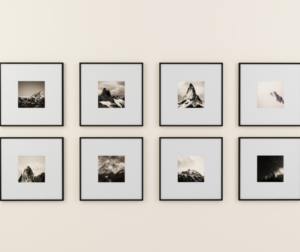
You can use simple photo editing apps and tools to edit your chosen pictures to make them black and white. Use the two-toned theme complete with white matting and white frames. To add personality and charm to the photo wall, arrange your pictures at varying heights, instead of in a single straight line.

Gather Your Panoramic Shots

Great for panoramic photos—like picturesque landscapes from your tropical vacation or fan-filled stadium views from your latest sports outing—shots like these that capture the whole scene can make your photo wall truly stand out. Line up a few panoramic frames for a gallery vibe. Mix and match the style and width of your frames for contrast.

Go Antique

Create an antique-look family photo wall with ornate wood and metallic frames. Try mixing shapes, like square and circular, on the same wall. Make sure to leave some open area for easy viewing.


Build A Timeline

Display your pictures in chronological order. Arrange your photographs to show your family’s growth over the years. Pick family snapshots from travels and vacations to breathe life to your photo wall.

Mix It Up

Create a mix of styles and designs in one photo wall: photo clipboards and framed art. Add in an array of photo varieties, too, like a picturesque landscape and a close-up portrait of your favorite people.

Add in Individual Shots

Create your family photo wall with blown-up photos of every family member. They could be dancing, singing or just a great candid shot of them doing anything. Bring the design together with a full family picture. Make sure to print your pictures on quality material, so the photos look clear and sharp.


Brighten Your Photo Wall With White

Select white matting frames and finishes for your photo wall, which could include a variety of family photos and candid shots from a recent holiday vacation or a walk in the park. Frame your photographs on your photo wall in a somewhat asymmetrical style to build visual diversity.

Design A Diverse Composition

The best photo wall concepts are mapped out ahead of time. This is particularly true when you add in aa variety of pieces—such as photos, hanging baskets, and clocks. Complement your wall with a central color like black or dark brown.

Have Fun Mixing Your Colors

Although a lot of family photo wall concepts are designed with similarly-colored accents and frames, you can also create a photo wall that uses a palette of neutral colors. It is made complete with unique and charming pieces like a wooden arrow, a DIY artwork, and framed family photographs.

Create A Heart Shape

Create a “lovely” collage with a heart-shaped design. Choose photographs that show ‘love,’ whether they snap a memorable vacation place or a favorite person. By organizing your pictures close together, your visitors would be able to appreciate your favorite memories easily.

Try A Non-framed Photo Wall Concept

Pictures in a photo wall do not need to be framed. Select your favorite photo styles, such as metal prints or canvas and print your pictures in the same size. Mix a range of close-ups and moving shots for a diverse design.


Society and Photography: 7 Surprising Ways Photography Effectively Impacts Society


Society and Photography 

Art is a way of expression through presentation; a method of understanding the environment and translating it. Through centuries, art has enabled the artist to express ideas and concepts in many ways that words cannot.

Art has likewise been used as a method to manipulate people—queens and kings are infamous for commissioning sculptors and painters to interpret their image in a way that maintains an aura of power, strength, and control over their people. Its principle was not merely artistic, but it was actually supposed to compel those under their rule to respect and fear their ruler.


However, where does photography in contemporary times fit into this mold? Could a mere photo really create the kind of impact that the masterpieces of the past are thought to have been capable of?

Photography offers a different perspective on society. When you look at various pictures of the stages of the camera and phone technology up to its current status, you would have broad reasoning and understand the milestones that technology and industrialization have in our society.

Photography offers a realistic look as well as a documentary on the different events for the appreciation of diversity and for research. Examples of the sectors that show the impact of photography on the society include:

History

How were you able to learn about the history of revolution or who the first man on the moon was? This is through the facts, together with photographs that serve as proof that support different historical facts. Moreover. It helps the current historians and philosophers to see a practical view of life and use different ideologies in their findings and research.

Additionally, it holds a memory of various vintage surroundings and creates a point for comparison with the present state for an irrefutable fact-finding endeavor.


Science

The capability of the camera to capture and record the world has made photography an irreplaceable tool in the world of scientific research. During its early days, the camera was utilized to document evidence on field trips, exhibit photographs of distant tribes people, or recently discovered plant and animal species.

Technology

During the development and innovation of the cameras, it is already evident that photography has created milestones from the traditional film cameras to the advanced digital cameras. Having colored pictures in gadgets like smartphones, which is nothing like the gray only image of the old times, is an obvious sign of improved technology.

Thus, photography helps the society have a positive notion of some innovative technologies in the electronics niche without doubting their environmental effect evaluation. Without this, integrating progressive technologies would be a challenge and would require a longer time to persuade people of the positive outcomes.

Image of solar panels on a roof in Taigum, Brisbane - Watermarquee
Photo and Solar Install by LB Solar Taigum

Heritage and Culture

Photography can help preserve our culture. With modernism taking over modern society, a lot of the traditional cultural practices could only be seen using pictures since their practices are becoming oblivious.

Photography also offers educational content on various cultural relics to make them understand and appreciate their culture and other cultures and traditions outside of their race.

Politics

Photography upholds governance principles. Could you just imagine a national newspaper with just texts and no photos to maintain voter apathy. It likewise facilitates politicians to push their ideologies through a realistic illustration, which could only be upheld using photographs. The social judgment of the succeeding leader could also be affected by the backing from other states.

Creative Arts

Many of the architectural marvels in our society are still maintained, but with the rise in population and the demands to construct many skyscrapers to improve the economic base of a nation, some of the architectural artefacts would eventually become nonexistent.

National archives aim to maintain these through pictures as evidence of their existence. As a matter of fact, many new buildings replicate the old building designs but apply modern technologies and contemporary building materials.


Social Media

As all the social media platforms grew, users started to post more pictures for their social media engagements. This social need called for enhanced photographic functionalities in smartphones, and now our gadgets could rival actual cameras when it comes to their resolution, color, and focus.

With instantaneous wireless image sharing and even the capability to upload pictures and order print copies of them, the traditional camera has quickly dwindled to the electronics department’s back shelves in malls and stores.

For the professional photographer, this trend could sometimes be disturbing. The capability to recognize a photogenic scene and then tap into technology, experience, and training to capture it for permanence has already been lost among limitless millions of instant thumb-tapped photos.

Furthermore, the enormous number of pictures being captured every day is attracting more attention to the impact of photography in our society and daily lives. Citizen journalists are quickly emerging. Long-lost families are getting reunited. Mysteries are getting solved. People are building friendships across religious, social, political, and ethnic lines, usually over thousands of kilometers away from each other.

All of these opportunities owe a huge debt to the impact of photography on various social media platforms.

What It Means for the Society

Photography indeed has a positive effect on all aspects of society. As a matter of fact, it helps to preserve the heritage and culture ideal for teaching the new generation. Additionally, it serves as a tool of proof of various theoretical principles.

Photography could be an effective agent for change, but it isn’t always black and white. It is not always the effigy of a brutal dictator falling to the ground or a departure of troops from a war zone. Oftentimes, change has presented itself as the acknowledgment of another way of living. It is the understanding of different minds, willing to take the facts, and put up with each other.

We’re all different but still the same, and photographs enable us to grasp this significant fact about society and acknowledge each other. Our tribulations and trials, along with the challenges that made us who we are today, are ever engraved into our consciousness, upholding the history of mankind through pictures that show our condition. Photography helps us understand what it entails to be human and what it could mean to possess humanity.

Protect your online images today with watermarking – it’s easy!


Creating Your First Online Photography Portfolio

First Online Photography Portfolio : 5 Crucial Things to Remember for Your Success 

In the past years, we noticed more photographers are living their dreams, showing off their photographs online with stock images and the like, and making a living out of their photography. However, if you want your work to be noticed, you should start thinking about making a portfolio.

Looking at several of the bigger and more seasoned photographers out there–or even some of the smaller ones you’re following on Instagram- there’s one theme that’s quite evident. It’s the fact that they have sleek, fancy, minimalist websites that promote their greatest works, contact information, and sometimes a little bit of personal information.

WATERMARKING IS EASY – START TODAY


You see, an online photography portfolio combines branding, self-marketing, and staying behind the camera. The portfolio of a photographer must first and foremost show off their work. It’s almost like the age-old adage that “a picture says a thousand words” is actually true.

With all that said, it is not all that hard to create a decent and cool online photography portfolio. You just need a little guidance, and you’ll be good to go.


Hosting

Every cloud needs a silver liner, and every website requires a hosting platform.

There are free platforms out there that are much more advanced and technologically adept than they were back in the day, and we are not talking about Picasa or Flickr either. Likewise, there are also simplistic paid services that you do not need to know HTML or CSS to make an excellent online photography portfolio.

Hosting Options for Your New Online Photography Portfolio

If you’re looking to expand your photography into a career or a business, you might want to think about transferring your site to a hosting platform.

A lot of hosting providers, like HostGator, 1&1, and BlueHost, have WordPress integration capabilities. Squarespace, as you’ll know if you’re listening to podcasts, is a magic brand of its own.

That said, larger, community-based websites like Flickr also have their SEO benefits.

CLICK HERE TO START WATERMARKING TODAY

WordPress

Easily the most widely used hosting platform around these days, there is a WordPress template and plugin for just about any type of website you are looking to create. You don’t need to learn a little bit of code. Although if you are looking for a simplistic photo portfolio, it might not be worth $4-or-so to buy a hosting and a domain name.

Once more, having a domain name will always be a benefit to you and your brand.

Price: Free, although you will have to pay for your hosting and/or domain name through a hosting provider.

Squarespace

Squarespace has a grip on the current streamlined, high-end aesthetics that most brands and individuals are on the lookout for these days.

Their layouts are straightforward, elegant, and easy to put together. Their themes have been actively stunning as well. If you need a luxury theme that gives a deluxe touch to your site without having to put a lot of hard work into it, then Squarespace may be worth checking out.

Price: $12/m for up to 20 pages, $18/m for countless pages, but this comes with a domain name and discounts if you pay yearly.
online photography portfolio to boost their brand.


Wix

Less known than WordPress or Squarespace, Wix is a platform that is easy to use and features designed exclusively for professional photographers. Wix offers an abundance of modern templates and an incredibly easy platform to use.

Recently, the company has also implemented AI to help you build the website you want, simply by answering a few questions.

It’s a simple builder for busy people who still look great and work great. On top of that, you could use tools to

make it difficult for anyone to steal pictures.


ADD WATERMARKS TO PROTECT YOUR ONLINE IMAGES TODAY

Make Your Portfolio Stand Out

Once you’ve sorted your website and layout, it’s time to think about how you want your online photography portfolio to look. Even though it is ultimately your choice, two of the things we really like to stand by are that you need to watermark your work. You ought to keep it as minimalist as possible, too.

Most photographers prefer only a few of their outstanding photographs to show on their online photography portfolio; collections that say, “This is my style, this is what I want to do, and if you want to see more, employ me.” However, even amateur photographers also do this, so this is not exactly the best way to separate your art from the crowd.

Do not get people to look for your best shots-give it to them!

As for watermarking, it’s amazingly important to ensure that your photographs are linked back to you. With sites out there, like Pinterest and Tumblr, the purpose of royalties go down the drain. Having a watermark on your job is a distinct, upmarket way to say, “I’ve taken it, doesn’t it look amazing?”

What to Put in Your Portfolio

  • ABOUT Section: Give a quick summary of you, yourself, and what you’re about.
  • Choose PHOTOGRAPHS: Choose photos that highlight your photography style and expertise.
  • CONTACT Information: Put your contact information, e-mail address, socials, etc., are important for networking. How can someone tell you that they would like to order you to do some work if you don’t have any contact information available?

Everything else, even the blog sections, can be read as static.


Highlight Your Best Photos

We’ve got it. It’s as hard to pick one photograph in your collection when they all look good. That said, the images you prefer to show off as part of the online photography portfolio should be those that show off your expertise, skills, or even your vibe.


A great way to select shots is to look at it as if you were putting together an exhibition. Technically, you are, although this may be an online exhibition. Your online photography portfolio is your exhibition, and you want photographs that will always be associated to you.

An Online Photography Portfolio in a Nutshell

The great thing about owning an online photography portfolio is that if you are proud of it, you do not really have to visit it again unless you want to. Like if you are updating information or gearing up to switch an older shot to a newer one.

All that means is that you have more time to do what you love: actually, take the photographs.


CLICK HERE TO ADD WATERMARKS TO YOUR ONLINE IMAGES TODAY


Top 10 Must-Follow Photography Blogs

Top 10 Must-Follow Photography Blogs in 2021

Whether you’re an aspiring photographer or a seasoned professional, there’s no shortage of fantastic photography blogs to inspire new ideas and learn new techniques from. If you’re looking to explore different types of photography approaches, why not study the work of those who’ve mastered them?

Take your photography skills to the next level in 2021 by bookmarking these top 10 must-follow photography blogs.

Photography Tutorials

1. DIY Photography

DIY Photography focuses on providing high-quality educational content for the photography community, featuring some of the best and most inspiring photography found worldwide such as this award-winning giraffe photo, industry news, gear reviews, and insightful photography tutorials that focus on working smarter rather than harder.

2. Digital Photography School

One of the most popular and longest-running blogs on photography, Digital Photography School provides a stimulating and enjoyable learning environment through open sharing of tips and techniques via free tutorials and articles on the website. 

Their online community of over 120,000 members interact regularly on the dPS Facebook Group with questions, tips, and ideas. An ideal resource for anyone who has a camera and wants to learn to use it well. 


Travel Photography

3. Around the World in Eighty Years

Previously an archaeologist, Jim O’Donnell became a conservation photographer to explore the relationship between people and the environment using his visual storytelling skills. 

Around the World in Eighty Years is a photography blog that also serves as a public forum to shine the spotlight on climate change, conservation efforts, and key environmental issues such as deforestation in Panama. The blog also includes insightful tips about travelling the world mindfully and reducing our carbon footprint where possible.

Photojournalism Photography

4. Reportage by Getty Images

Reportage by the stock agency, Getty Images, features engaging real-life narratives behind captivating photos. 

Besides showcasing an impressive collection of world-renowned photographers and documentarians such as Peter Dench, Paula Bronstein, and Laurent Van der Stockt, Reportage also features curated work by emerging talents to help raise their industry profiles. It’s undeniably one of the best photography blogs to feast your eyes on.

Food Photography

5. We Eat Together

The food photographer’s must-follow photography blog, We Eat Together is an educational and inspirational resource for food bloggers, food photographers, and foodies of all types. Skyler Burt, an editorial food and travel photographer, shares valuable and relevant content on the blog including free food photography guides, simple and clever tips on food photography, lighting, and styling, and much more.


6. Two Loves Studio

A blog founded on a love of digital photography and food, Two Loves Studio is dedicated towards teaching creatives the “how-tos” of food photography. Rachel provides a ton of tips via helpful articles on food photography techniques and building a photography business. She also runs workshops and masterclasses on composition, editing, and retouching


Creative Photography

7. Chase Jarvis

Chase Jarvis is an award-winning photographer, director, artist, entrepreneur, and above all, someone who aims to be as creative as possible in all his endeavors. His multi-faceted blog features a diverse range of topics besides photography, such as inspirational perspectives through interviews with successful professionals from different industries on entrepreneurship, creativity, and living mindfully. 

8. CreativeLive

Founded by Chase Jarvis and Craig Swanson, CreativeLive is an online space connecting visionary instructors with up-and-coming creative professionals from all kinds of creative fields including photography. 

The site offers free streaming of live classes and creative events as well as an ever-growing catalog of high-quality digital classes. Millions of students, professionals, and artists from around the world regularly consume inspirational education content on the website. 

In response to the current COVID-19 pandemic, CreativeLive is also stepping up the free content on the site by adding health and wellness classes, live creative performances, virtual book tours, and virtual conferences to keep the creative community engaged and inspired.


Photography Gear Review

9. Fstoppers

An online community aimed at educating and inspiring photographers, videographers, and creative professionals, Fstoppers is one of the top resources for photography lighting, gear reviews, business tips, behind-the-scenes insights, and industry news. 

Reaching an audience of over 1.5 million photographers, Fstoppers has been featured by leading news outlets such as NPR, The Huffington Post, Resource Magazine, Mashable, Gizmodo, Tech Crunch, Geek.com, Vimeo Staff Picks, Adobe, Life Hacker, BuzzFeed, and more.

Photography Business

10. The Joy of Marketing

A website dedicated to helping photographers establish and grow their photography business with practical advice on marketing, brand-building, and pricing, The Joy of Marketing helps photographers master the marketing dos and don’ts to enable their photography business to thrive and scale. 

They provide a whole host of interesting resources such as The Boutique Photography Business Starter Kit and an extensive collection of articles on photography techniques, trends, and business-building advice on their blog.

There are countless resources out there to draw inspiration from, but these 10 must-follow photography blogs should be at the top of your list to check out.

Remember, no matter what photography you choose to do, protect your online photos from theft with watermarks. Start unlimited watermarking today with Watermarquee.


5 Ways a Photo Watermark Can Help in Direct Sales Success

How can photo watermarks help increase the proceeds of direct sales companies?

A lot of people nowadays are making a living in non-conventional ways, proving that the traditional 9-to-5 job is not the only way to achieve it! With hectic schedules, multiple priorities, and generally busy lives, today’s goal-oriented career-seekers search for more flexibility and strike a better balance for themselves and the people they love. It has been very much evident in the latest rise of direct sales companies, which could provide their sales representatives the chance to set their own hours, be creative, and work at their own pace. Direct sales companies like Stella & Dot, Young Living, and LuLaRoe haven’t only innovated the way we shop, they have improved the way we work, too!


Why Direct Sales Companies?

Even though a harmonious work-life balance could be the very thing that attracts people’s interest to direct sales companies, it is oftentimes the room for creativity that they provide is what keeps their sales representatives truly thriving—and even flourishing in the business! Often sales rep go for a company or a product that relates to their own passions and backs up their personal goals. Although it really helps to sell a good product line or a one-of-a-kind product offering, these products can’t sell themselves. The secret to successful sales lies significantly within the sales representative!

If you are a sales rep for a company like Young Living or LuLaRoe, you already know that your unique style, marketing strategy, and personality are the real assets in making big bucks in the direct sales industry. Your communication style and personal marketing materials are what communicates your clients and fancy their imaginations. The trust and relationships you establish with your clients keep them satisfied and come back to buy more.

Even though other direct sale companies and their representatives still heavily depend on the old concept of word-of-mouth sales, the contemporary and savvy sales rep taps into the power of electronic communications and social networking sites to reach their clients. For the modern shopper, sending a link to a company website or product catalog just won’t do!
Sales is a cutthroat industry, and your competitors are doing a lot more than that. Do you remember earlier when we said that it is your uniqueness that makes the biggest difference?

Photo Watermarking for Direct Sales

To attract potential clients online, you would need a relatively strong online presence at websites and social media platforms where you’re sure your potential client base already visits.

Yes, social media sites like Instagram and Facebook will be essential to connecting with your clients, and regular activity on these social media sites would keep your brand and products in front of potential customers.

Protects Your Photos

Nonetheless, we likewise need to keep in mind that, just as we are cautious with what information we post and upload on social media sites, we also have to be careful about our marketing approaches. Since our uniqueness and style motivate our customers to buy our products, we simply can’t allow our competitors to steal our sales by poaching our personal marketing materials! It’s effortless for others to download and use our photos and utilize our advertisements, and make big bucks when it should’ve been us. This is why you need to protect your online ads and photos.


The easiest and most straightforward method to do this is to place permanent watermarks on each and every single photo you upload online. A photo watermark labels your marketing materials as yours and yours only, in a way that others cannot use them without your consent.

Watermarking deters those who steal images without the original owner’s permission and upload them on different social media platforms and websites. Typically, they would just move on to other pictures that don’t have watermarks. Image theft actually happens a lot more than you would imagine.

Watermaraking Your Photos Looks Professional

This is a highly-debated topic, but some people believe that using a photo watermark could make your product photos look more professional. Watermarking shows that you care about your work enough to protect it and make sure that only your paying clients would have absolute access. Use a clear, streamlined photo watermark that doesn’t have typographical errors and other mistakes to keep your professionalism.

Brands Your Images

Watermarks could likewise be a branding tool for your brand. Putting your website and contact details in the watermark could help attract potential clients when they see your work. Don’t make the watermark too big or too tiny to read. Also, put only the most pertinent information that a potential client might need. If you don’t feel comfortable putting the watermark in the center of your photo, you could place it in a more inconspicuous spot, like the bottom right corner.

Examples of Watermark Placement

Here are a few of the various ways in which direct sales companies watermark their product photos:


Add Store Address

Adding your website URL helps people find you quickly online. Make sure that the font makes your URL easy to read, and you put it somewhere that can’t be easily cropped.

Background Tile Effect

Adding a tiled logo for watermark means that there is more branding. You can place the logo ‘underneath’ the product photo so that it does not intrude on the actual look of the product.

Plain Branding

You can also place the photo watermark at the bottom of every product image. You can make it large enough that people could read the writing and immediately know who is selling the product. Putting the watermark logo at the bottom of the picture helps preserve the customer’s view of the product.

Photo Watermarking Bottom Line

Online watermarking websites like Watermarquee allow users to watermark as many photos as they like without installing any software on their computer or device. If you want to use your company logo in your photo watermark, you could put it wherever you like on your pictures. Make the watermark obvious so that your photos cannot be stolen by someone else, but do not detract the focus away from your product. You could also put your contact details as a watermark, so potential clients can track you, inquire about your products, and the sale revenues end up in YOUR pocket!


4 of the Best Photography Website Builder for Your Online Portfolio

What makes a great photography website builder?

If you are looking for the top website builder designed for photographers, but you are not quite certain what precisely you should be searching for in a photography portfolio builder, then you are on the right track. Although every professional photographer would be happy to showcase their work, the thought of creating a photography website from scratch could seem daunting at first. Nevertheless, the best photography website builders actually make the entire process so much simpler.

If you’ve only uploaded your photos on social media platforms, but you are now intending to expand into your own website that you have complete control over, then any of these photography website builders could help you achieve just that.

How to Choose the Best Photography Website Builder

When it comes to picking a photography website builder specifically for photographers, there are a number of primary considerations. For instance, what’s the key purpose of the website? Is it just to show your photography, or do you need capabilities to sell your photos too? If so, you need to ensure that the photography website builder you pick has integrated eCommerce functionalities.

You likewise need to consider how many photos you want to post and whether the photography website builder you are using provides enough storage space to accommodate your demand. If you’re using a very powerful professional camera to produce thousands of high-resolution images, you would need a photography website builder that offers unlimited storage, or else things might get too expensive pretty quickly.


If, however, you choose to store your photos online, confirm that the service you are interested in includes functionalities to protect your work with custom right-click messages, watermarks, and password protection. After all, the last thing you’d want is people stealing your precious work.

Whatever your online portfolio needs to be, we’ll guide you through everything you need to know to decide which is the best photography website builder for you. Here are what we think are the top photography website builders out there.

Pixpa

Pixpa is one of the best photography website builders we have reviewed. What makes this builder an excellent place for photographers to build their own online portfolio is the ease of use. It helps you through the process to build an excellent website that’s particularly designed for those in the visual arts, such as video, photography, and illustrations.

There are a lot of themes that you can choose from, but the greatest part is that you could quickly tailor them to your preferences and needs, which your business an edge over other photographers in your niche.

It means that you could create a stunning website from scratch, even without a web design degree. Also, you could make it look special to stand out from your competitors.

Professional photographers who are strapped for time in developing their business have access to an elegant yet straightforward and user-friendly photography website builder that helps them build what they want without breaking the budget.

Format

If you are looking for simplicity in your photography website builder, then Format is worth checking out – it does not have a lot of advanced functionalities or features compared to its competitors, but that also means less trouble for you and a quicker time between signing up for an account and getting your images uploaded online.

With Format, you have more than 60 different themes to choose from, all of which could be modified in terms of colors, pages, and layouts. Each theme automatically adapts to mobile or desktop, and you could preview all of this in your internet browser.

Getting photos up on your website is simple with Format, and once they are on the page, they could be conveniently dragged and dropped into anywhere you need. If you are already satisfied with the original design and style of the template you have chosen, you could be online within minutes.

Carbonmade

Carbonmade is specifically for creatives, so you can expect that this photography website builder is not only straightforward and user-friendly, but it’s also fun and has fresh templates to choose from.

However, you could only choose from a handful of ready-made templates, so if you would rather spend time going over hundreds of good choices, then Carbonmade probably is not for you. Nevertheless, when you are in, the photography website builder has one of the easiest workflows we have seen, allowing you to build pages and projects easily, and get your photographs quickly uploaded to your website.


Dunked

Dunked does not have a wide array of ready-made templates or the same depth of functionalities as some of its competitors, but getting your site up and running is simple and really quick. Check out some of the templates on their home page – if any of them tickles your fancy, give Dunked a visit.

With Dunked, you get a vanilla drag-and-drop interface for organizing and placing your photos to spots you prefer. If need be, photos could be categorized into pages, so if you want to show your entire career online or feature just a few select snaps, Dunked is worth checking out.

Although the choice of templates available is not the widest, they are all made to adapt to different sizes of screens. If you know a little about CSS, then you can adjust different aspects of the site design.

However, do not expect a tremendous amount of value beyond the basics of colors and fonts. Changes and modifications could be applied at any time and would only take minutes.

4 of the Best Photography Website Builder for Your Online Portfolio

Conclusion

These are a few of the best photography website builders available out there. Nevertheless, there are many others to choose from. You would find that each option has its share of weaknesses and strengths. Before you take the plunge and decide on the best photography website builder for you, make sure to study all your options carefully and weigh in each builder’s pros and cons so you could make the best choice for your online photography portfolio.


Real Estate Agent Secret Tip: 2 Ways Watermarking Can Help Your Career

Why should real estate agents learn to watermark property photos?

The weather is warming up, just like the real estate market. It’s indeed the best time to sell houses. There’s nothing else more exciting for real estate agents than a massive surge in the for-sale demand, together with a profusion of deep-pocketed customers who are looking to purchase their dream homes. It’s definitely the real estate counterpart of the perfect storm.

You have worked so diligently right through your real estate agent career. You have done so much more than link buyers with sellers and sellers with buyers. You have poured out your heart and energy into helping people find the ideal home, helping newlyweds begin their lives together on the right foot, and helping happy retirees downsize.

Sometimes the deals can be fast and furious, but sometimes the customers are with you for so long that you almost see them as a family!

If you have been in the real industry for quite a while, you already probably know how this goes – the property market starts to heat up, then all of a sudden, the number of real estate agents out there trying to represent sellers and buyers start to hit the roof. The struggle gets fiercer; the competition gets more intense.

Every opportunist real estate agent out there claims that this is their big opportunity to make it big in the industry! We seasoned agents have withstood many storms and still survived.

Nevertheless, that absolutely does not mean that we should let our guards down and not be vigilant.

Watermarking for Real Estate Agents

Now is the right time to watch out for those real estate opportunists. In this industry, your best asset is your excellent sales record. I’ll repeat it for you: your best asset, the one that makes you indispensable, is your unique sales record! You already know your neighbourhoods like the back of your hand, you know your statistics, your demographics, and you know the tricks of your trade.

Likewise, you ought to know that online communication is key to closed deals in the market nowadays, especially with the millennials. The contemporary clients don’t like taking phone calls; they would rather receive texts, emails, or direct messages on their social media.

Millennial clients aren’t so eager to wait for new real estate market listings every Friday. Instead, they would go through online listings and offerings in real-time.


However, before they do all that, they would first want to see real estate agents’ social media profiles, prior to choosing someone to represent them in one of the most significant decisions they will ever make in their lives!

Sure, as any real estate agent would, you would put your best foot forward on the internet and amaze potential clients with your records. However, if there’s any advice I can offer at this point, it is never to let other agents grab your sales track record.

A lot of agents, especially in this time and age, will brandish their largest sales online with bragging rights and photos, aiming to capitalize on those closed deals and attract new potential clients.

Do you remember those opportunists we have mentioned a while ago? They do not actually have the sales record and history that provides clients with the peace of mind that they have put their confidence and trust in the right agents.

Watermarking for Real Estate

If you are proud of your sales record, then post them online! A photo speaks a thousand words! Upload pictures on your website and on social media. Take it as a means of celebrating your victories and showcasing the beautiful properties you’ve had the opportunity to represent. Nevertheless, ensure that you protect those pictures as well as all of your hard work from getting stolen by other real estate agents.

It is too easy for them to download photos online, claim to have represented the properties, and gain future clients and business that they didn’t earn well! To protect your property images on the internet, you would need to mark and make them your own.

How to Watermark Property Images

One of the easiest and most effective ways to protect your photos is to add a visual watermark. In this manner, it would be evident which realtor or agency those pictures belong to, and in the rather implausible circumstance that someone still uploads them on their website, it will still benefit you by advertising your name and services!

Watermarking does not even have to be a hefty business expense – almost free or inexpensive and user-friendly online watermarking tools let you put text, logos, and your contact information, onto your pictures, to make them unusable for unapproved commercial purposes. Hey, your photos and sales are yours, and yours alone! Upload and advertise them without fear or reservations!


Watermarking Tools

There are a lot of digital tools that could help you achieve what you need to with your photos, but it is still highly recommended to use a particularly designed online tool for watermarking images.

The biggest benefit of those apps is that it lets you bulk watermark your pictures, thus saving you time and energy. No matter the number of images, you can watermark all of them in a single session.

Whether it’s just a logo, text, or a combination of both, your watermark is totally customizable; you can put it anywhere you like, apply effects like shadow or stroke, customize its opacity, rotate it to your liking, and a lot more. You could also choose to make a discreet and unobtrusive watermark or a prominent one that explicitly says who the pictures belong to. It’s all a matter of your personal preferences.

Using Watermarquee

Before we begin, it is worth noting we can use a service named WaterMarquee. It is an easy to use digital tool that lets you watermark a lot of photos at once. It is also online-based, so you don’t need to install any programs.

To use WaterMarquee:

1) Open the WaterMarquee website and click on “Start Watermarking Now” to start the watermarking process.

2) Hit “Select Photos to Watermark” and upload up to 5 photos at once. The free version of this tool allows no more than five photos in one go, but you could also get the Pro version of Watermarquee to go unlimited. If browsing through your photos seems too tedious, you could also conveniently drag and drop the images.

3) As soon as you have uploaded the photos you wish to watermark, add your logo by clicking the “Add Logo” button at the bottom of the website.

4) Once your watermark is added, you could tweak the logo location and modify the watermark’s opacity.

5) Click on Save, and you are done.

However, keep in mind that not every listing portals upload watermarked pictures. So, before you upload your listing to a real estate portal, be it Redfin, Realtor.com, or Zillow, check their policies first about watermarked property photos.

Remember to protect your real estate photos with Watermarquee’s unlimited watermarks.


For a deeper dive: Real Estate Agent Photoshoot.

For a deeper dive: 5 Ways a Photo Watermark Can Help in Direct Sales Success.

6 Best HDR Photography Tips to Make You a Better Photographer

How can HDR photography help you take better pictures?

Have you ever tried to take pictures of a high-contrast scene (sometimes with your smartphone’s camera app), only to be frustrated when you find that the photos you snapped just don’t give justice to it? Don’t fret about it. It is not you; it is not your camera, either. Even with the ideal exposure, some scenes tend to get blown-out, flat shadows, or both. Although it is almost impossible to find a happy medium in such situations, there is a solution. This age-old dilemma can be resolved through the magic of HDR processing.

What is an HDR photograph? Here is a quick overview of what it is all about and how to get started.
High Definition Range (HDR) photography is popping up everywhere these days, generally with excellent results, but sometimes not.

What is High Definition Range (HDR) Photography?

HDR means “high dynamic range.” Dynamic range is essentially just the distinction between the brightest light and the darkest darkness you can capture in an image. When the subject in your scene surpasses the dynamic range of the camera, the highlights tend to be white, or the dark ones just become big black blobs. It is notoriously hard to snap a photo that encapsulates both ends of this spectrum, yet with advanced post-processing software and modern shooting techniques, photographers have formulated ways of making this happen.

This is primarily what HDR is: a particular style of photo with a remarkably high dynamic range that could not otherwise be obtained in a single image.


How Does HDR Photography Work?

Even the best images tend to leave out the details that humans can see with their eyes. HDR Photography lets you capture more detail in a photograph, so it appears more like what you would see in real life.

At the most primary level, HDR photography is actually just two or more photos taken at specific exposure levels and then fused together with the software to achieve a better image. It is a bit more complicated than that, but not a lot more — it is the short version of it.

HDR in Action


Ideally, the photographer takes a variety of bracketed photos — that is, images of the same subject taken with variable shutter speed combinations to generate a set of images with different luminosity. (HDR photography performs excellent with a camera on a tripod and remains entirely still and with landscapes empty of moving objects.) Then, with the help of sophisticated post-processing software, the photographer can combine the photos and make a single photo of the most well-lit, focused, and colorful areas of the scene.

To sum up, it works by capturing the image three times-normal exposure, slightly under-exposed, and somewhat overexposed. The three photos are then combined into one, creating a mixture of details from all three.

Photos are usually paired with software that can lead to some impressive results. Most modern HDR photography software could handle this process pretty well automatically but typically leave some configurations to the user, and these settings can be adjusted to find exciting effects.

Here are some samples of cool HDR photography effects:


When You Should Use HDR

HDR can help you take more stunning images, particularly in certain situations. Here is where you should give HDR a try:

Landscapes

Wide landscape photographs normally have a lot of contrast between the ground and the sky, which is complex for your camera to capture in just one photo. With HDR photography, you could capture the sky’s details without making the earth look too dark.

Portraits in Sunlight

We both understand that lighting is among the most critical elements of a good image, but too much lighting on people’s faces — like harsh sunlight — could result in bright glare, dark shadows, and other unflattering features. HDR could make everything out of it and improve the way yo

ur subject looks.

Low-light and Backlit Scenes

If your picture looks a little too dark — which sometimes happens when a scene has excessive back light — HDR will illuminate the foreground without fading the well-lit parts of your frame.


When You Should Not Use HDR

Of course, as you have found out, sometimes, the HDR just makes the images look worse. Here are several cases in which you shouldn’t use HDR:

Moving Images

if any of your subjects move, HDR increases the risk of a blurred shot. Know, HDR takes three images, so if your subject changes between the first and second shots, your final photo is not going to look very impressive.

High-contrast Shots

Some of the images look better with a sharp contrast between the dark and the light sections of the picture as if you have a dark shadow or a figure that you want to highlight. HDR would make it less intense and softer, resulting in a less interesting image.

Vivid Colors

When your scene is too dark or too bright, HDR will put back some of the colors. However, if you are working with colors that are already really bright, HDR will wash them away.


Advantages of Using HDR

Nowadays, HDR photography has become a common option. If you are new to the photography world, it is worth looking at the advantages of HDR photography.

Using HDR technology, photographers can compile various photographs taken at variable exposures. Not only this, but also that technique helps photographers to produce photographs with outstanding light accuracy, which is not possible in a single shot taken by ordinary cameras. Using HDR cameras, photographers can capture excellent still images, overexposed and underexposed environments. While photographers have the freedom to add multiple effects to images, it is still recommended that the picture be kept as realistic as possible.

Photography is an art, and in this field, anyone with the best artistic skills will succeed. Nonetheless, to sweeten the pot, HDR photography can be used. While this is not standard practice, at times, the use of this technology may actually render some fantastic art (like these fresh photography trends). And, to get the ideal angle, one should be holding a tripod. You will need the right photo editing software to edit the picture and add the necessary special effects.

Remember to protect your HDR online photographs with unlimited watermarks. Start watermarking here today.

Pinhole Camera: 7 Best Things to Know About This Equipment

Why do some photographers use a pinhole camera?

People make pinhole photos for a variety of reasons; it is the most basic type of camera photography you can get. Taking a pinhole picture means you need to take a moment, to pause, and consider it; it is not fast-paced photography (like some new photography trends), but it can be hip shot, and you could get photos that capture movement and the passage of time (just not as you could expect.)

A pinhole camera is a basic box with a small hole within it. When the image is exposed to light, it passes through the hole and appears inverted on the opposite side of the window. It is as easy a camera as you could get, and the effect has been recognized for thousands of years.


It is hard to take a stunning and highly-detailed picture with a pinhole camera; you have to compare the size of the pinhole with the proximity to the object and the crispness of the resulting image. Nevertheless, after I have written about the Afghan Camera project, I have been fascinated by the amazing photos that can be produced with a humble pinhole camera.

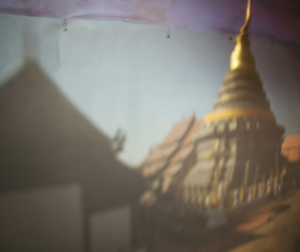
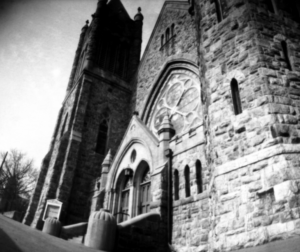
Here are some stunning examples of images taken with pinhole cameras:

What is a Pinhole Camera?

A pinhole camera is the simplest possible camera. It comprises of a light-proof box, some kind of film, and a pinhole. The pinhole is an incredibly small hole that you can create with a pin tip in a piece of aluminum foil.

How Does It Work?

The pinhole camera operates on a basic premise. Imagine that you are in a room-sized box that has a pinhole. Imagine a friend with a flashlight outside a room, and the flashlight shines through the pinhole at different angles. When you observe the wall at the opposite side of the pinhole, what you will see is a tiny dot made by the beam of the flashlight beam that shines through the pinhole.


The little dot will shift while your friend turns his flashlight. The tinier the pinhole (within limits), the sharper and the smaller point of light the flashlight makes.

Now imagine that you’re going to take your big and dark pinhole-equipped box room outside, and point it to a gorgeous landscape frame. When you take a look at the wall on the opposite side of the pinhole, what you are going to see is a distorted and reversed version of the scene outside. Through point in the scene produces light, and, like a flashlight, the light beam from that point passes through the tiny pinhole and produces a point of light on the back wall.

All the points in the scene do so at the same time, so that the entire frame, in focus, is produced on the back panel of the room. The pinhole camera photos are very faint because the pinhole is very minute, but you could see the images if the room is very dim.

Film and Photographic Paper

You may use either photographic paper or film with pinhole photography. If you are utilizing photographic paper, please do remember that the exposure period must be longer, because the paper isn’t really as sensitive as the use of film. Exposure time could take up to a few minutes on a bright and sunny day. On the other hand, the exposure time could take just a couple of seconds when using film.

Shooting Your Subject using Pinhole Camera

For your shot to be effective, you need to make sure there is enough light entering the pinhole. If the image you are taking a picture of is about five feet or less, just tilt the pinhole camera up a little. This change is important for displacement, as there are a couple of lines of sight. On the other hand, if you shoot anything more than five feet away, hold the camera at a straight angle.

Experiment and Shoot then Repeat

Now the fun starts! When shooting, place the camera on a tripod if possible, or at least just a steady surface. This will guarantee that the camera will not move during most of the exposure time. Enable the light to penetrate the pinhole camera during exposure, but don’t forget to shield the dark-covered hole when you’re not aiming. The fun here is to play with the objects to shoot as well as the exposure phase.
Pinhole cameras likewise have their share of advantages and disadvantages.


Pinhole Camera Advantages

The benefit of pinhole cameras is their range of focus. All in a photo captured by a pinhole camera is in focus; it has infinite depth. Another great thing about this simple camera is that it is very easy to build and use.

Pinhole Camera Disadvantages

Although pinhole cameras are awesome and quick, they do have disadvantages. For instance, the pinhole camera has a longer exposure time than the standard camera. This likewise means that you need a tripod or a piece of equipment like a tripod to keep it steady. Another downside is the clarity of the images. Since there’s no lens, the images aren’t as bright. They’re not very good at taking action or moving photos, either.

You have to be patient shooting with a pinhole camera as it is a learning experience! Since we’ve been talking about a piece of unusual camera equipment, check out some unusual types of photography that you can try.

No matter what type of photography you enjoy, your online photos can be protected from theft by using a watermark. Watermarquee allows you to create watermarks right on your browser! Read how simple it is to use here.  For unlimited watermarking sign up to pro version today.


Tips for Family Photographers: 6 Important Things to Know About Watermarking

How can watermarks help protect a family photographer’s business?

For a lot of family photographers, watermarking family photography presents two opportunities. Watermarks deter customers from using their photographs without paying for them. Watermarks could also help promote and advertise the business of family photographers. If you are a professional family photographer, here is how to maximize the potential of your image watermarks.

What’s A Watermark?

Watermarking paper dates back to the 13th century in Italy. Paper markers embedded a pattern or an image in their paper by altering the paper thickness.

This process was made when the pieces of paper were still wet, thus the term watermark. Watermarks could also be found on stationary, I.D. cards, paper currency, stamps, as well as other government documents. They’re used as a way to prevent counterfeiting and fraud.

In the realm of photography, on the other hand, a watermark is a logo, graphic, or text superimposed on an image. Watermarks assert ownership of the photo in some way. The watermark graphic may be a signature, a logo of your company, or just your name and contact details.

In the days prior to digital photos, watermarks are typically placed on the back of the photographs, preventing theft or unauthorized duplication. Today, watermarking is generally done digitally by putting another element to the photograph itself rather than a separate process. Nevertheless, the concept is still the same.


Watermarking – A Traditional Role

Family photographers have long used watermarking to prevent clients and photo thieves from using photos without consent from the original owner. In family photography, watermarking has likewise deterred clients from making copies and printing their own photographs. If the clients want another print with the family photographer’s advertisement or watermarks removed from it, they have to pay for a recopy of that print.

Selling printed family portraits has been how family photography traditionally brought in money for the photographer. They have offered their customers packages of printed photos and people who wanted extra prints paid for each additional one. Hence, watermarks have provided crucial protection for family photographers’ income.

Watermarks and Family Photographers

Nowadays, a lot of family photographers still watermark their work to prevent people from printing out pictures without having to pay for them. As innovation and technology develop how people use photos, though, this huge role of watermarking is gradually becoming obsolete. People do not usually print out photos anymore, so there is less need to deter them from doing just that without paying for the photos.

Using Watermarks in a New Way

Rather than printing out photographs, people now upload them on the internet with friends and family. When they are emailing photos or uploading them on social media, their viewers usually do not mind if the photos have watermarks on them. Hence, a watermark’s power to deter people from grabbing online pictures without consent is less in the contemporary world of uploading photos online.

Nevertheless, watermarks are still not totally obsolete. Since customers usually do not remove watermarks prior to posting them online, family photographers could turn watermarked photographs into advertisements and promotions for their business.

The people customers share their pictures with are friends and family, some of whom might be based in the same area and be prospective clients themselves. They might even contact you to take photos of their family if they like your work–and this is where watermarking comes in. A watermark could help make sure that anybody who sees your photographs knows you shot them and has your contact details.


Designing a Watermark for Both Purposes

A nicely designed watermark could still achieve the traditional role of watermarks, while at the same time helping family photographers promote when their photos are shared on the internet. To design and create a watermark graphic that does these things, they should:

  • have your name (or your business’ name)
  • have your website and email address
  • have a professional look that matches your photos. They ought to be big enough that customers
  • cannot remove them from the picture to create a print.
  • be placed in a lower corner, so it does not detract from the subjects in the photo

Also, your watermark graphic should not be the focus of your photos. It should be noticeable enough that anybody who sees your work notices the watermark, but their eyes should initially be drawn to your subject or your client’s family. Modifying the font, opacity, and color of a watermark could help you strike the right balance of subtlety and visibility.

Furthermore, always ensure that you watermark all your high-resolution images. A lot of family photographers put watermarks on some hi-res images only. These photographs could be used for marketing purposes, and thus it is very important to watermark and protect them.

If you want to put a watermark on your images quickly and easily, you could use a batch watermark maker, like Watermarquee.

To create a new watermark graphic that could help protect your photographs and promote your photography business, try out Watermarquee. With this online tool, family photographers could easily and quickly create customized watermarks for their photos.

Using Watermarquee

Watermarquee does not require any downloads and installations; you use it right in your preferred web browser. You can choose to create a logo and text watermark on the website or to upload a graphic you already have as a logo for your images. You could adjust the size, location, color, and font of your watermark to match the style of what’s happening in the picture.

If you want to watermark a bunch of photos, you could upload up to 5 images at once to make the same watermark graphic on all five photos.

Nevertheless, if you have to watermark hundreds—even thousands—of images a year, you could upgrade to Pro – pay $19.00 Once ONLY- USE FOR LIFE, enabling you to add both image and text watermarks to the photos, to upload images of any size, to upload a limitless number of photographs at once, and to upload any photo file format. For a one off fee and a lot of functionalities, it is definitely worth it for family photographers.

Photography Website: 7 Best Tips for Designing an Amazing Site

Designing a great photography website

As a professional photographer, your photography website is the sole most crucial part of your brand identity. It determines how prospective clients see you and tells whether they reach out to you for a quotation. And while professional photographers are excellent at producing compelling photographs, that skill does not necessarily translate into web development and design skill.

Here are eight tips for creating and designing an attractive and effective photography website that can help you attract more clients:

Begin with a Photography Website Pre-made Template

Before, having an attractive website meant hiring a web designer to create custom photography websites from scratch. Thankfully, those days have passed. Creative website photography builders like Pixpa offer wonderful all-in-one photography portfolio pages, with email, hosting, user-friendly page-building tools, as well as a wonderful collection of website templates. If you want to tinker with codes, you could also set custom CSS.

Yes, some photography website builders and are better and easier to use than others. Make sure to work with professional tools and steer clear of badly designed “free” choices that would use up too much of your time and energy.

Pick a Focus and Stick with It

When an art director or corporate client visits your photography website, they would want to see what you are good at as quickly as possible. For instance, they are searching for the best wedding photographer for the job, not a general photographer who has some wedding photos thrown in with food, wildlife, and architecture. Prospective customers should know what you are best at from the get-go when they visit your photography website.

If you don’t have a specialization yet, you would need to find your particular niche. This could be difficult—emotional, even. Ideally, you have to find the overlapping part of the Venn diagram representing what you are good at, what you feel is creatively gratifying, and what your target market wants. Once you identify your specialty niche, describe it in layman’s terms. Genres like lifestyle, food, portraiture, sports, reportage, architecture, and product all have skillsets and definitions associated with them.


Use Helpful Gallery Titles

Once you have settled on a photography niche, you would need to create galleries that clearly show your specialty. A great way to do that is by putting correct and helpful gallery names to distinguish your work.
Avoid ambiguous gallery names like “things,” “places,” and “people.” Prospective clients are not searching for a “places” or “thing” professional photographer; they are looking for a wedding or landscape photographer. Ensure that you satisfy this expectation.

Build galleries around one specialty with less than about 30 photographs per gallery. Provide names that clearly enlighten clients on what they would find inside. Please stay away from vague labels like “projects” or “gallery one.” They do not identify what the client would expect, and they delay answering the important question, “What’s this professional photographer best at?”

Show Only Your Best Work

This is perhaps a no-brainer, but a lot of photographers post sub-par photographs without even realizing it. Perhaps it took you a six-hour hike to capture a particular landscape, or you feel an emotional connection to a certain photo. Sadly, if that does not translate into a top-quality image, the client would not bat an eye. They wouldn’t be able to create a connection you have with the photo anyway, so ensure that any photo you upload could stand on its own as your best work.

Create an Insightful “About Me” Page

Your About Me page should be useful to clients. Yes, of course, you want your prospective clients to know what you’re like, but your About page isn’t the proper venue for long, personal anecdotes. Your clients, to be honest, are not interested in knowing which photo you first took or which portrait photographer is your inspiration. They just want to know what photography niche you are good at and why customers like working with you.


Quickly outline your photographic specialty then let them know why clients should get your services. You can likewise include a sneak peek into your personality without getting sentimental or redundant. Definitely include a good photo of yourself!

Provide Accurate Contact Details

Sharing contact details on your About page is alright, but it isn’t enough. Prospective clients shouldn’t have to look around your website to find your contact details. Make it so obvious that they wouldn’t miss it: have a page labeled Contact on your website navigation bar. When potential clients click on it, they should be able to see your email address and phone number right away. If you have an office or a studio, include that address, too.

While it is true that contact forms offer a great deal of info to the website owner, they are actually generic and impersonal, creating unnecessary friction that could be a barrier to contact. Nevertheless, if you are worried about spam bots scraping your email address and other pertinent data from your Contact page, you could connect your email to Google Apps to help you filter out the junk.

Always Put the Client First

You may be noticing that all these tips have a common denominator: when designing your photography website, always put in mind the client’s needs first. Your photography website should use larger images, user-friendly so it’s easy to navigate around, and quickly respond to your client’s questions and clarifications as prompt as possible.

They should be able to know what type of professional photographer you are right off the bat, where you are based and how to reach you as soon as possible.

Keep in mind that your prospective clients do not have a ton of time in their hands to review your work, so try not to slow them down. Make your photography website user-friendly with keyboard navigation’s and on-screen buttons. Ensure that your photos are large enough to be high-quality, but small-scale to load quickly. Do not put splash pages, fancy animations, and loading bars.

Before you save any changes you make on your photography website, ask yourself first if the change makes it more convenient for prospective clients to navigate and find what they need to know. If it makes it easier, then go for it. If not, then just don’t.

Worth a read: Photo Wall Tips: 16 Best Ways to Make an Amazing Gallery Wall.

Watermark Creator – 5 Secrets not to miss

Create the best watermark for your images using a free watermark creator

Creating a watermark using a watermark creator and putting it on your photos is a  common way to protect your images online. It is easy to create, applicable in seconds, and arguably one of the best deterrents to stop thieves from and using them without your consent.  It is easy to see why watermarking is used by professional and amateur photographers alike, as well as stock, photo libraries and everyone in between.

Watermark Photos for Free! Best 5 Photography Hacks:

How Do You Make a Great Watermark Using a Free Watermark Creator?

The best watermarks strike a balance between doing its protective purpose while keeping the image beneath visible enough to still be recognized. Dynamic watermarks are an even better approach, as they allow you to modify your watermarks later.

This offers the opportunity to change branding or other details as and when you need them.

So how are you going to get it right? Here are the five key things you need to consider when creating your watermark using a free watermark creator.

  • Opacity
  • Positioning
  • Size
  • Clarity
  • Style

Opacity

A watermark could be large enough to cover a huge part of the images. Even so, if it is created with suitable opacity, it could still manage to provide adequate protection without making a mess of the picture.

There is no right or wrong here – much of it relies on the photo itself – even though a watermark that is less than entirely opaque is usually preferred, it gives a better chance of working in harmony with the picture.

Preferably, the watermark should be visible without distracting attention from the contents of the image itself. That is why it is better to use a watermark that’s free of any color or anything that’s too eye-catching.


Positioning

Are you supposed to place your watermark across the center of the image or in the corner? Or maybe the top or the bottom of it? Again, there is no general rule here; the photo itself should determine this.

If we assume that the watermark is primarily intended to protect the image from theft, the watermark should be arranged over an area from which it would be difficult to remove. So, a busy part of the photo with gradually changing tones or varying details, for instance, rather than a smooth, flat region of blue skies or a layer of pure white.

How Secure Is It?

Most people with even simple image editing skills would be able to eliminate a watermark from a little detail area. Still, they would be less successful if this were to be done over complex architecture, machinery, fabrics, or anything else that is often changing in appearance.

As a significant element of the photo is likely to be somewhere in the center of the frame, a lot of photographers choose to place the watermark here to provide adequate protection. You may wish to always put a watermark in a particular part of the image to maintain consistency.

Size

Photographers appear to be divided into two camps when it comes to how much of a watermark image they should occupy.
A watermark can be used over the entire image and still work well, provided that its opacity is relatively low.

On the other hand, a watermark can hardly be seen. As long as it is carefully placed over a part of the image where its removal would be really obvious, it may still prove to be a sufficient deterrent to the thieves.

Clarity

How visible should your watermark logo be?

  • There are two schools of thought on this issue;
  • one camp prefers a bold watermark that ensures the visibility of the photographer’s name,
  • while the other side prefers a watermark embedded in the picture.

While there needs to be a balance between guarding the image and showcasing the picture, a bold watermark makes it less attractive to thieves while also promoting the photographer and/or their website.

On the other hand, while a watermark embedded inside the picture does not provide adequate protection, it does allow visibility of the image.   It also reduces the risk of a watermark removal, making it easier to verify the owner.


Most photographers prefer a visible watermark.  Whatever you chose, it is vital to ensure that your name or website is as readable as possible; so that, if stolen, your photos are easily recognizable.  Proving an image is yours is a lot easier if you use a free watermark creator with your brand on it.


Style

While a lot of photographers will opt to have their name and website as their watermark, some are already happy enough to use a free watermark creator to put a copyright symbol or a faint pattern over the entire image.

While this could make ownership a challenge to prove in the event of image theft, it might still prove to be enough of a deterrent to lessen the chance of this needing to be handled.

Final Thoughts

5 tips Free Watermark Creator
A lot of photographers want to proudly show off their work, and a well-thought watermark lets them do just that without the fear of image theft.

While your photos may well end up being seen by those who intend to steal them, bear in mind that most of the people who view it will be keen to appreciate the photo itself.

That makes it even more critical to carefully analyze just how any sort of watermark will affect it. Next, check out which font is best to use for your watermark.

The Search for the Best Professional Camera: 6 Tips in Choosing Your First Camera

6 Tips to Choose your first professional camera

If you are looking around for your first professional camera, you might feel overwhelmed by the number of possible choices. A top-quality, professional camera is a wise investment—and an expensive investment at that. However, the good news is that a lot of professional cameras available on the market nowadays are high-quality, so you are not likely to pick one that just does not work.

The key is finding the right professional camera for your precise needs so that it would serve your photography hobby or business for many years to come.

The question is, how do you narrow down the choices with a wide range of camera models, features, and accessories? It is a lot easier than you imagine if you know and understand what you need and what you want before purchasing one.

You would be better able to choose the best professional camera with the features you need and want, without feeling overwhelmed and distracted by the many other cameras that you don’t really need. Here are some tips that can guide you before you start your search for your first professional camera.


Know the Different Professional Camera Types

There are a lot of different types of professional cameras, ranging from basic smartphone cameras to powerful digital versions. However, if you are searching for your first professional camera, there are a couple of major types that you should look into.

DSLR

Digital single-lens reflex or DSLR cameras are what a lot of people think of when they imagine a professional photographer shooting away on a photoshoot.

DSLR cameras have two distinct parts: the lens and body of the camera. They also have a mirror, or “viewfinder”, that let you preview the scene before you capture it.

In DSLR cameras, the proper lens makes the difference when it comes to the quality of the image. Better lenses help produce better photos. DSLR lenses are also interchangeable, so it is easy to customize and adjust the quality and image output by testing different lens types.

For many budding professional photographers, a DSLR camera is a simple and safe option with enough functionality and features to meet their preferences and needs.


Mirrorless

In the last few years, mirrorless cameras have entered the industry as an alternative to the DSLR cameras. Although the mirrorless camera has almost the same internal parts as DSLR cameras, including interchangeable lenses, they boast of a mirrorless or electronic viewfinder, making the whole camera lighter and more compact.

A con of mirrorless cameras, however, is that they have smaller sensors than DSLRs. Hence, they are not as advanced in shooting in low light or registering image depth.

Should Professional Camera Brands Matter?

The truth is that the professional camera brand you purchase has minimal impact when it comes to image quality. It all boils down to the lens quality and the artistry of the professional photographer behind the camera.

While Nikon and Canon are the two most well-known professional camera manufacturers, one of the many emerging brands may still suit your preferences and needs at a much lower price point. Instead of getting fixated on a specific camera brand, you can try cameras from other manufacturers to zero in on the one that is the most convenient and comfortable for you to snap with, and that best suits your budget and needs.

Set a Budget

In professional cameras, “ballpark pricing” does not exist. The price of DSLR cameras ranges from a few hundred dollars to hefty thousands of dollars. In this case, the best thing to do is to set how much you are willing to shell out and find a camera that falls within that range. Don’t worry; you WILL find one.

The trick is to list down which features you cannot live without and features that you could sacrifice to stay within your budget.

Distinguish “Nice-to-Have” vs. “Must-Have” Features

The list of features you can get as part of your new professional camera is practically endless. Some of these features are important, while others you would probably never even use. Nevertheless, a feature that you will absolutely need is the capability to switch to manual mode.

Keep in mind that the professional camera sets the light exposure and shutter speed for you in automatic mode. On the other hand, you adjust the settings yourself in manual mode, giving you more artistic freedom to capture a wide variety of shots. Also, you might want to double-check the ISO or the professional camera’s light sensitivity. A higher ISO would make sure that you can capture great quality images in low light conditions even without a flash.

Don’t be sidetracked by the “noise” of professional camera features that you do not actually need. It would be best to focus on the features that cater to your needs as a professional photographer and would help capture the kinds of photos you want to produce.


Which Lens?

Whether it’s permanent or interchangeable, the right lens can make or break your photos. Here are a few facts you need to know about lenses to make an informed choice.

Focal Length

It identifies the angles that your lens would capture. Telephoto lenses shoot a narrow view, while wide-angle lenses capture a larger view.

Aperture

It is the hole inside the lens that regulates the light that goes through the camera. The bigger the aperture, the costlier the lens would be, but it would allow you to shoot in darker conditions.

Know Where to Buy

There are a lot of different outlets to shop for your first professional camera, including brick-and-mortar shops and online retailers. Start with your research online, and once you have set your budget, kind of professional camera, must-have features, and right lenses, you can begin comparing prices.

As you look for your first professional camera, keep in mind that the only “perfect” professional camera is the camera, regardless of the price or brand, that’s perfect for you. Do not let yourself be intimidated by the plethora of choices available.


2 Best Ways Watermarking Can Help Models Flourish in Their Careers

How can watermarking help models?

Modelling is truly a cutthroat industry to crack into – portfolios, casting calls, comp cards – and all that might even be before you get your first paying gig. The topic we will concentrate on today is essential to launching your modelling career off the ground – by skillfully managing your online portfolio.

It is great if you already have an agent who would accomplish this for you. However, if you haven’t gotten one yet, an excellent online portfolio could really help you get there.

Watermarking for Models

Perhaps you already have a compilation of your most favourite photos – the images where you look stunning, the ones that highlight your gorgeous features, and the ones that would definitely stand out in a crowd.

Nevertheless, those photographs couldn’t work to your advantage, unless you share them with the right industry people. That’s actually the hard part – nearly everything is done on the internet these days, so how would you know who you are sending your photographs to, and what would they be doing with them?

Careful! – scammers want to exploit your images for their own monetary gains, and to steal your identity online, or worse.


Demons of the Digital Age

Where would we be with the powerful internet? More importantly, where would your photographs be? Sure, they will look great on your photo frames, but your potential is destined for much bigger things. The kind of art that you are is beautiful. And you want people to see what you see.

Fantastic as the virtual realm is, it is a minefield for photo thieves. File sharing and uploading photos on social media mean images are hurled around like candy, paying no mind to the poor blighter who captured those images. Without watermarking, your masterpieces are, unfortunately, at the mercy of anybody who wants them.

Luckily, watermarking could serve as your legal copyright, offering you the ultimate protection from having your images stolen, republished, or even sold without your authorization. Here are a few good reasons why you should start watermarking your photos:

Protecting the Photo

Building your brand and defining your persona means that you need to be aware and have control over when and where your photographs are being used. Your images featured on the wrong sites by the wrong people might sink your reputation and career. You have got to protect your photos and, ultimately, yourself!

It could be as simple and straightforward as watermarking every one of your photographs to prevent them from being downloaded and used without your permission. Professional photographers do it, so you should too.

Downloading photos online is simply right-clicking on an image and saving it on the device or computer. Just about anybody could search for photos on Google or get them from your social media sites and portfolio, and use them for whatever purpose they need – commercial or personal. It is almost impossible to stop someone from downloading your photographs, but you could definitely dissuade them by watermarking your pictures.

Branding

A watermark helps feature the original maker and owner of an image, and it likewise provides a spectacular opportunity to market and promotes your brand as a model. The more viewers see your images that are watermarked with your name and portfolio URL, the more your popularity is increased. It is especially crucial to use the same watermark in each of your work so your audience becomes familiar with it.


Watermarking the images that you post online is powerful, especially when viewers share your images on social media platforms like Instagram, Pinterest, and Twitter. It ensures that when your viewers hit the Share button, your images are automatically branded.

Watermarking Photos

There are a few methods to watermarking your photographs, but the major point is to put your watermark in a conspicuous spot so much so that it would render the image useless for commercial purposes, but, nonetheless, allows the essence of the subject to shine right through the photo.

You should make it a point to include your name and contact details in your watermark text, so wherever your photographs end up, you could be contacted by an interested agent or company.

Another great idea is to use Google Reverse Image Search to see if your photos are being used anywhere on the internet. You could drag and drop your photos onto the Google search field, and Google would search for any similar images online.

Although this approach could help you discover if your pictures are being used without your consent, prevention is still better than cure, and it is a more effective idea to watermark your images so that this does not happen in the first place.

Some Watermark Tips For Success

Keep It Natural

The location of your watermark has to be as natural as possible, so it does not pull the viewer’s attention away from you.


Keep It Minimal

Aside from resizing the watermark so that it is small (yet still legible), you could also try decreasing the opacity to help it blend into the photograph. It should not be the main focal point of your picture, but it should nonetheless serve its purpose of building your brand and career as a model.

Keep It Memorable

Make sure to use the same watermark in your photographs for consistency. The more familiar your viewers are with your watermark, the more they will remember you and your brand!

Watermarking with Watermarquee

Watermarquee is an online tool that you could use to watermark your photos easily. You could access Watermarquee right on your web browser, so you don’t have to take the time to install and download programs. It provides a simple and straightforward user-interface so that you could easily alter the color, font, location, and even the opacity of your watermark to get your desired effect for your picture.

That’s not even the best part yet!

You’ll be happy to know that it’s a free application. It also allows you to bulk watermark up to 5 photos simultaneously. If you’ve got a lot of photos to watermark, you could upgrade your Watermarquee plan for only $19. It will allow you to bulk watermark unlimited photos! Start unlimited watermarking today.



Flickr Famous: 6 Best Ways to Get Your Photos Noticed

How can you make your photographs stand out against 6 billion others?

With more than 80 million visitors monthly, Flickr embodies an unmatched way to get people’s attention for your images. However, with more than 50 million registered users, you are obviously not the only one wanting to get noticed and attract attention to your photos. Here is our step-by-step guide on what to do to become a sensation on Flickr:

1. Put Your Best Foot Forward

If you are hellbent on getting attention to your photographs, you have to ensure that all of the images featured in your photostream are top quality. Many viewers wouldn’t exert too much effort to wade through your “okay enough” pictures to find the great ones – so ensure that every photo is excellent.
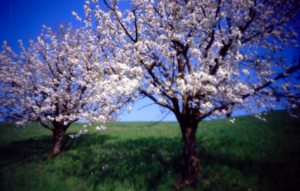
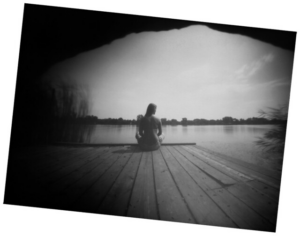
If you have an account already, and it has a lot of shots that do not showcase your best works, you can try to make your lower quality photos private. If that sounds like an arduous task, you could likewise sign up for a second Flickr account and use this account, particularly to highlight your best works.


Also, adjust your photostream’s layout to make the most out of each photo’s aesthetic appeal by configuring it to show medium-sized photos. When somebody looks at your Flickr photostream, the bigger the images are, the more chance they will not just scroll right past it. Ensure that you choose” or “Medium + collections” or “Medium + sets,” so the audience could easily see other amazing images you’ve captured.

2. Don’t Spam Your Photostream

Like what we’ve covered in the first step, make it a point to not upload too many pictures per-day to your Flickr photostream. Uploading over three photos daily is, in our opinion, asking too much from your Flickr contacts and people viewing your stream. Keep in mind that you should only be posting the best.

Moreover, make sure you also avoid the mistake of not posting regularly. Although you do not want to post too often, the opposite holds true, as well. If you do not upload content for long periods, interest in your work may dwindle and wane.

Post regularly, but not too much.

3. Use Creative Commons Licensing

Having a Creative Commons license on your photographs is an ideal way to get your images noticed since it allows people to freely use your photos on their own blogs and websites.

You do not give away your rights to your pictures, but you allow people to use them – potentially serving as your free marketing strategy.

4. Make it Easier to Find Your Photographs

To begin, ensure that you have given your photographs clear and descriptive titles. It could be hard to be original and unique when you are posting images every day, but the photo’s title is the initial element that the Flickr algorithm considers when a viewer is doing a search. If your audience tries to find “sunset on water”, but your photo is labeled “IM134”, you might have just lost a follower.


Tags

Put tags on all of your images. Tags are also a good way to describe your photos aside from the title and enable you to be more descriptive and creative with your photos. Your tags should include your photo’s subject, the venue, the setting, and pretty much anything else you could think of that’s related to the photo, and somebody might search for.

Location Information

You can also add location info to your pictures with Geotags. This is information about the location a picture was taken, and viewers usually look for photographs from a certain place

5. Make Friends on Flickr

You could encourage other fellow Flickr users to discover your images by going out and viewing theirs.
Flickr has a ton of different ways to discover amazing images – you could check out photos they have labelled as interesting, view a photo calendar of the previous month, and even see stunning pictures on a world map (another good reason to try geotagging).

Whenever you see a photograph that you find astounding, add the image as a Favorite. Flickr would then notify the user who uploaded the photo you favourited, and they might even take the time to view your photos and return the favour.

Try not to add too many photos as your favourite, though, as it would become obvious to other users if you have discerning tastes in photos.

What you could do limitlessly, though, is to comment on other users’ photos. They love to receive comments on their photographs, and again, they might return the favour, thus increasing engagement on your posts. However, you need to make sure that your comments are on topic and insightful.

Join Flickr Groups

Another great way to directly show your photographs with other users is to send your top quality photos to Flickr groups. These groups are established by Flickr users and are a collection of photos that have something in common. Don’t worry if your photography niche is unusual, as there are more than a million groups on Flickr, so there’s surely one for your works.

The last way to make friends on Flickr and to have a bigger audience for your photos is to add users as Contacts. A contact is somebody whose uploaded photographs you like, and their images would show up on your Flickr front page. You are, again, aiming to get reciprocity with this approach – if you add a user as a contact, they might try to add you back.

6. Shoot Interesting Photographs

Flickr’s Explore page highlights great photographs, and you should aim to get seen on it. The other steps in this handy guide have been working to achieve this ultimate goal.

Although Flickr will not disclose specifically how they evaluate if a photo is good enough, we know that a photo, generally, is more fascinating and interesting when it captures attention – like when people Favorite it or comment on it.

P.S. Although it is not Flickr, you could likewise get exposure for your photographs by uploading onto the Watermarquee Facebook Fan page. All images watermarked using Watermarquee are considered eligible; you can just send it my way at john@watermarquee.com.